Leads in your DMs, proposals in a doc, invoices in a spreadsheet, and money you have to chase. Studio OS puts it all on one calm desk, shows exactly who owes you, and puts a Pay now link on every invoice.
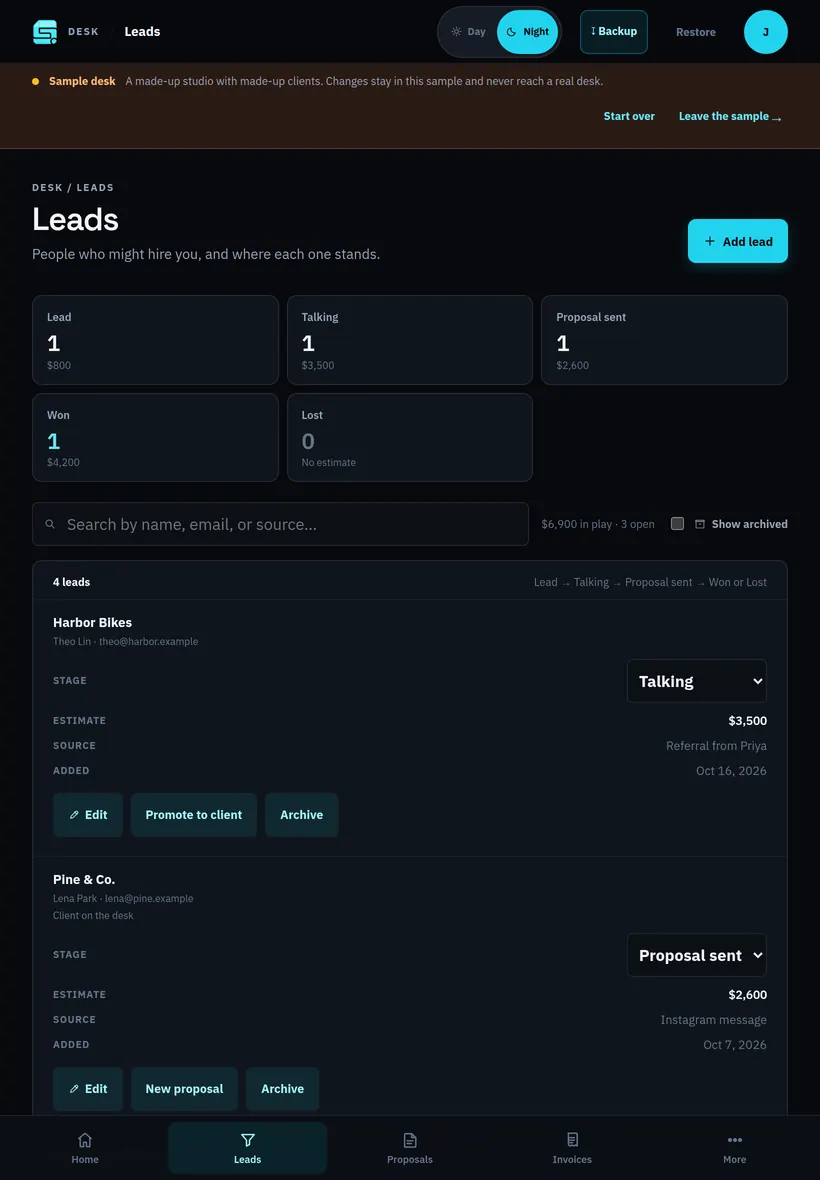
The real app, running the sample desk. Silent loop.
Before and after Studio OS
Before
Leads scattered across texts, DMs, and email.
Proposals in a doc, with “sounds good!” somewhere in a thread.
Invoices in a spreadsheet you forget to check.
Awkward follow-ups because you aren’t sure who paid.
Another monthly fee for a tool built for bigger teams.
With Studio OS
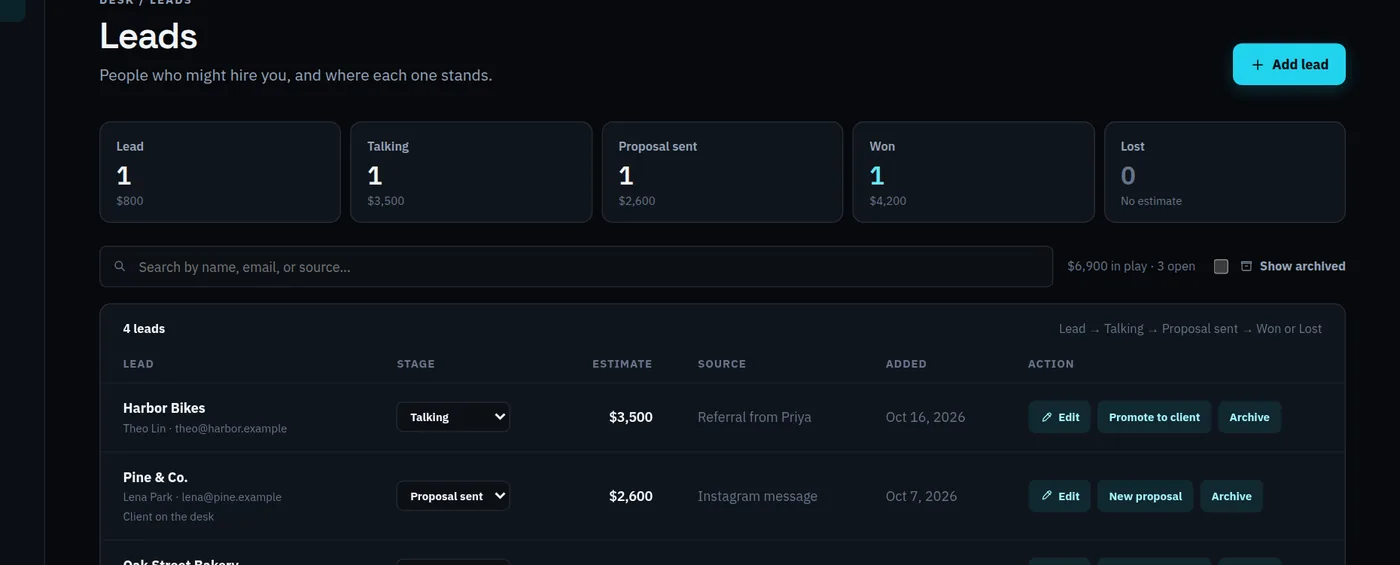
Every lead on one board: Lead, Talking, Proposal sent, Won.
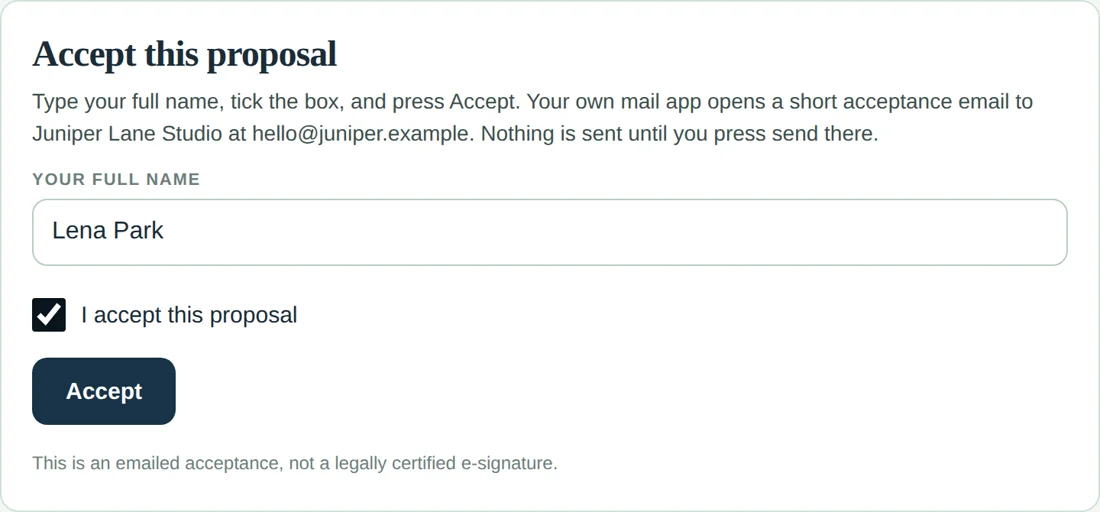
A proposal page your client can Accept, recorded in one click.
Invoices with your own Pay now link, PDF, or a message for chat.
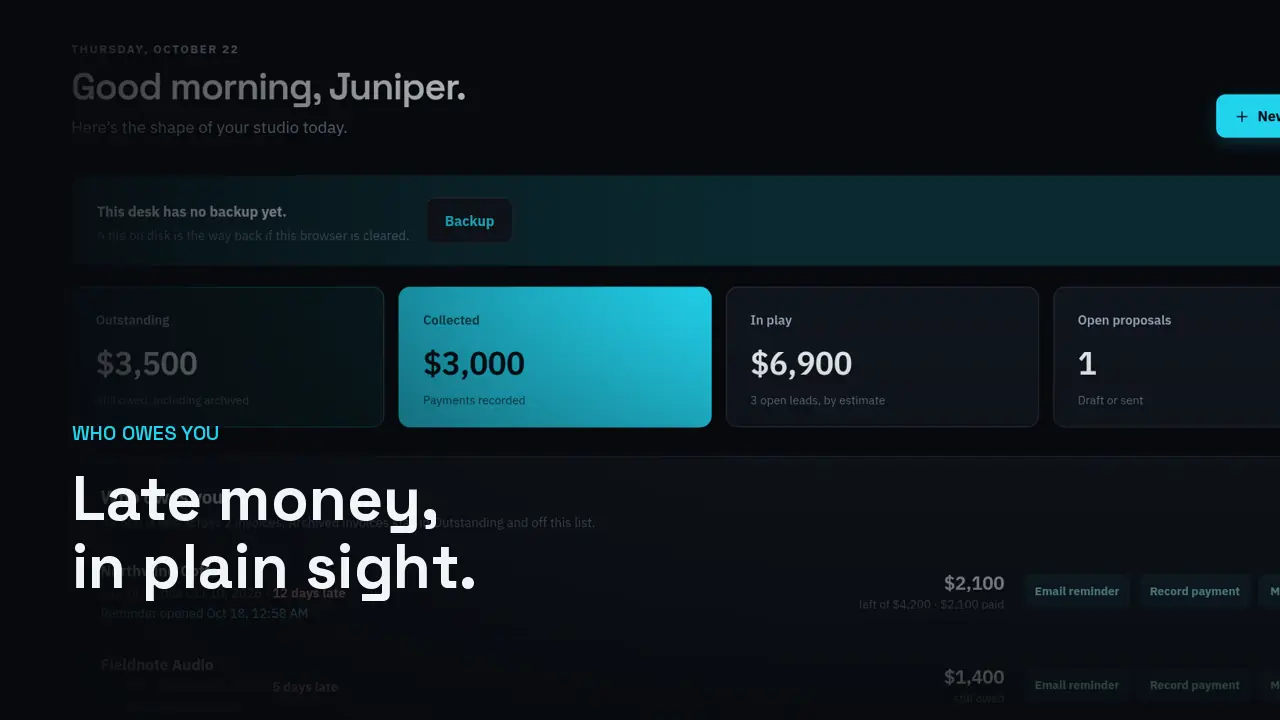
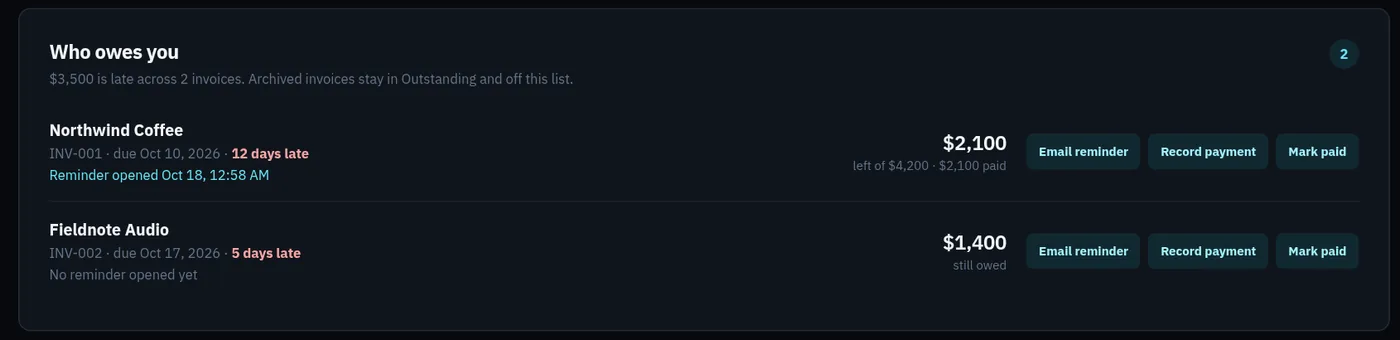
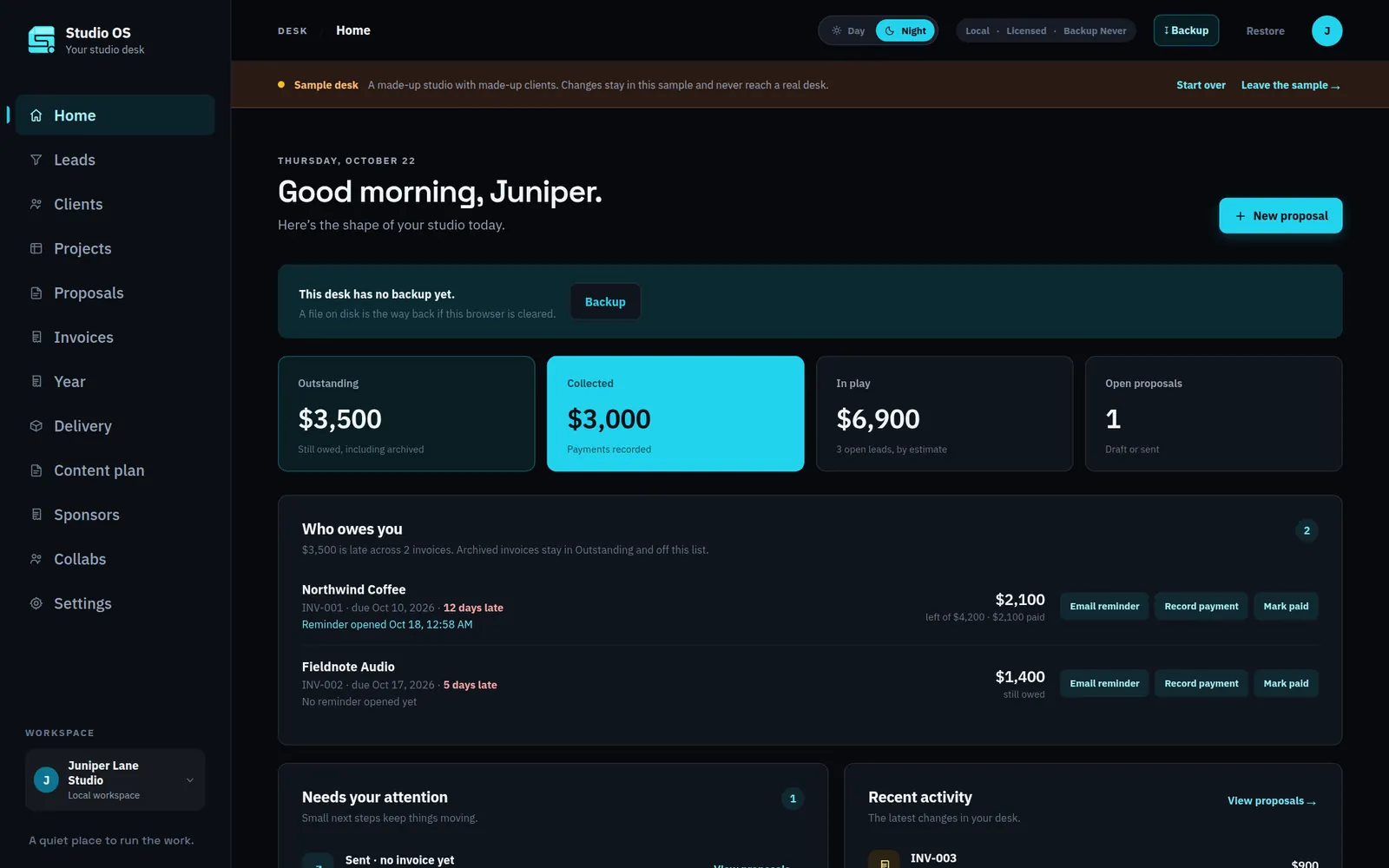
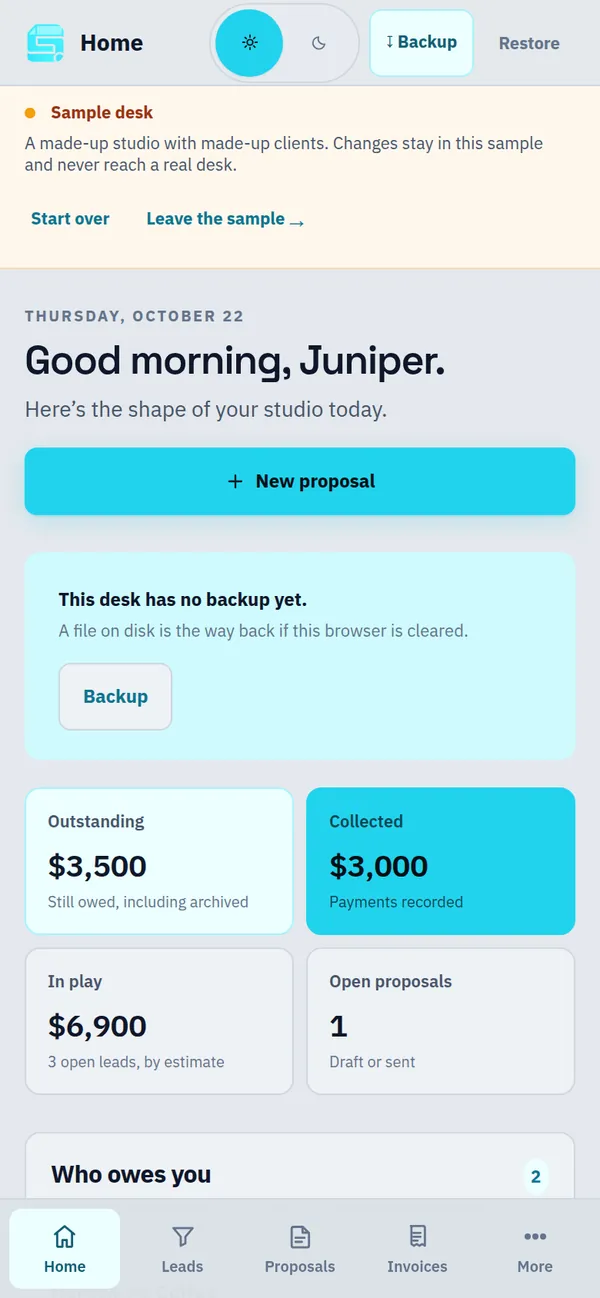
Home shows who owes you, how much, and how many days late.
$49 once. No subscription, no account.
How it works
From “maybe” to paid, in four steps.
The same loop every job goes through. Studio OS keeps it in one place, so nothing slips.
01 · Leads
See every job you could win.
Each lead moves Lead → Talking → Proposal sent → Won or Lost, with an optional estimate. Home adds up what is still in play. One tap turns a won lead into a client.
02 · Proposals
Your client presses Accept.
Build a proposal line by line and share its page. Your client types their name, ticks the box, and presses Accept. Their mail app sends you the acceptance, and you record it in one click.
An emailed acceptance, not a certified e-signature.
03 · Invoices
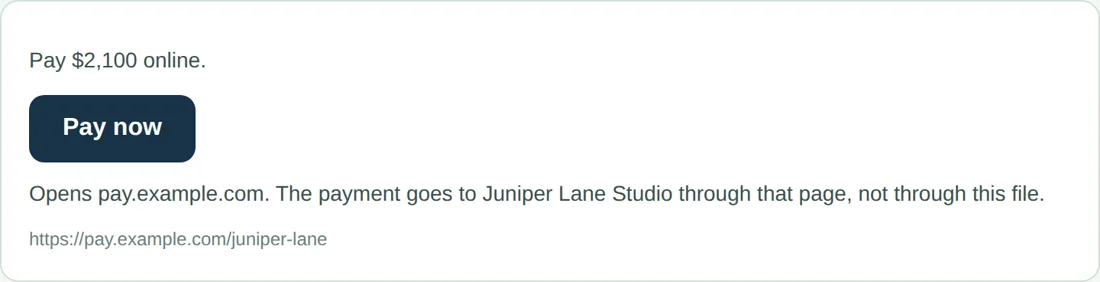
A Pay now button on every invoice.
Add your own payment link once, from Stripe, PayPal, Square, or any https page. It shows as Pay now on the invoice page, the PDF, and the chat copy until it’s paid. Partial payments keep the right balance.
Money goes through your payment page. Studio OS never charges anyone.
04 · Who owes you
Late money, front and center.
Home lists every overdue invoice with the client, what’s left, and how many days late. Email reminder opens your own mail with the note written. Record a payment or mark it paid, right there.
Phone, iPad, or computer
One desk. Every screen you work from.
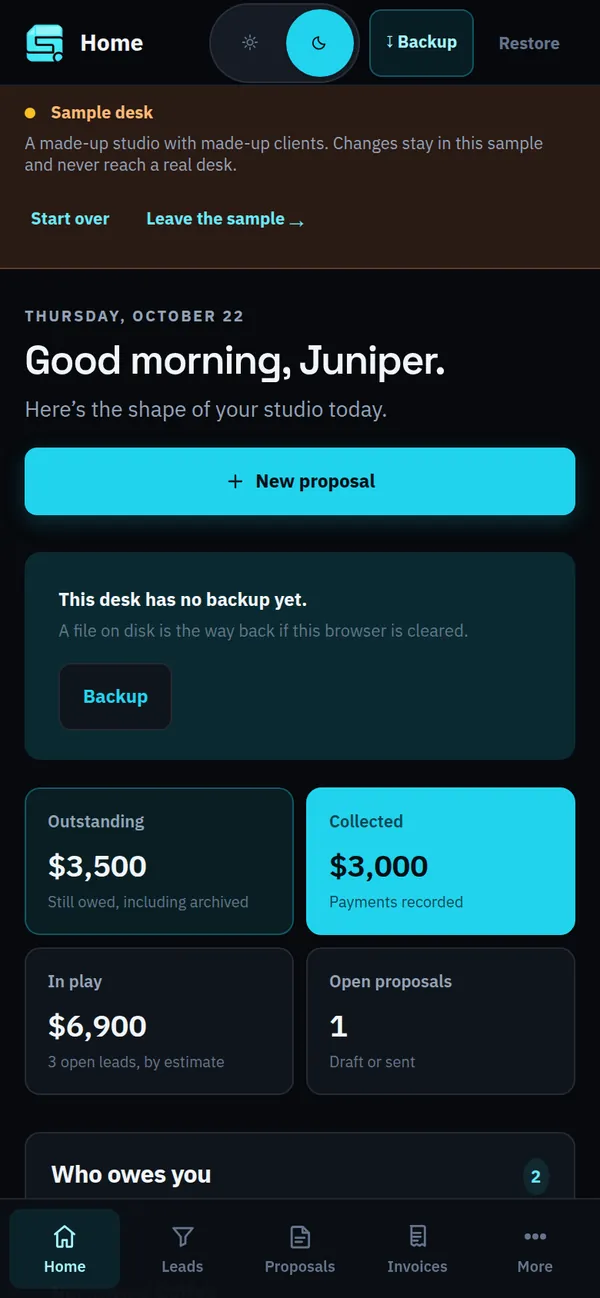
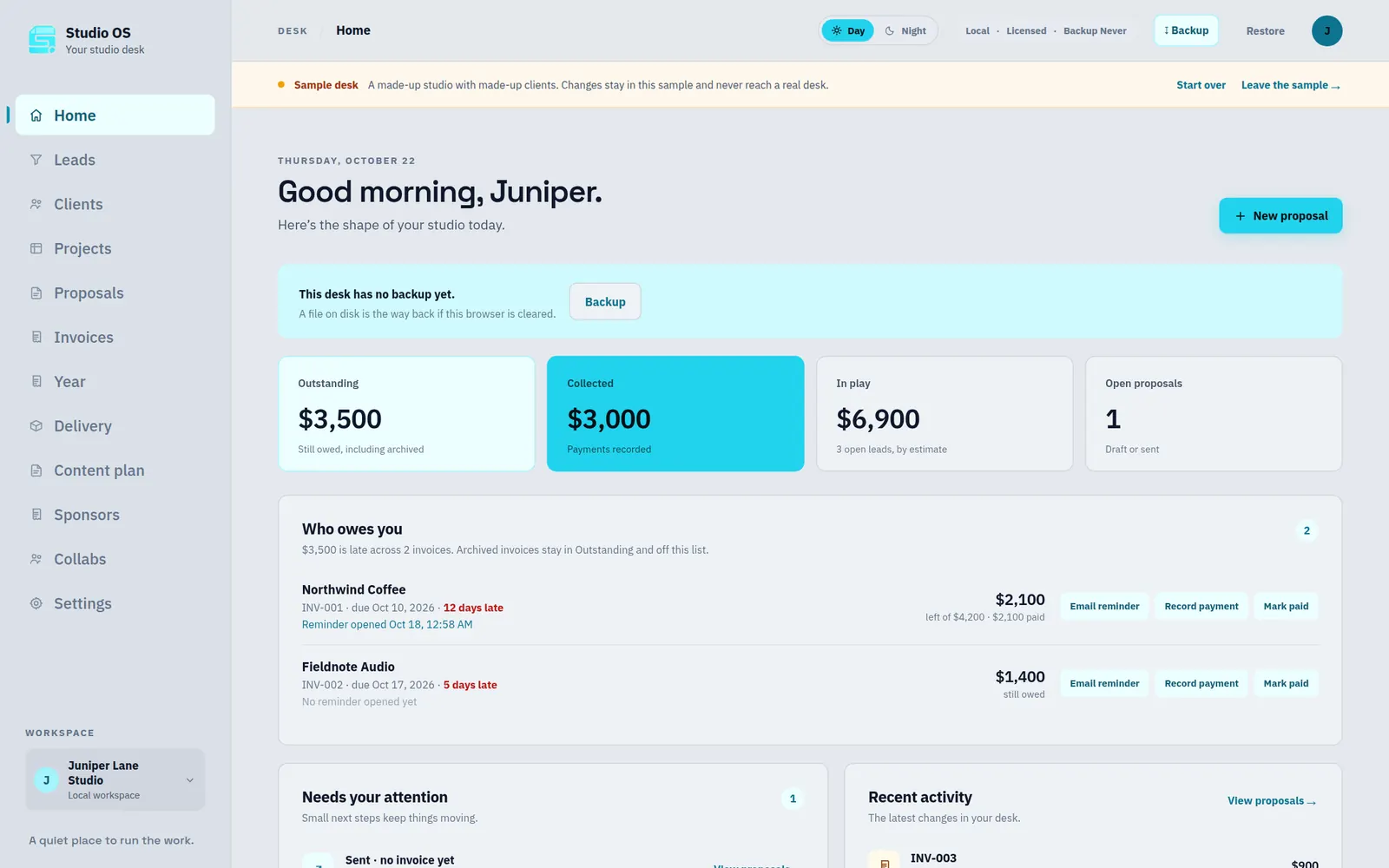
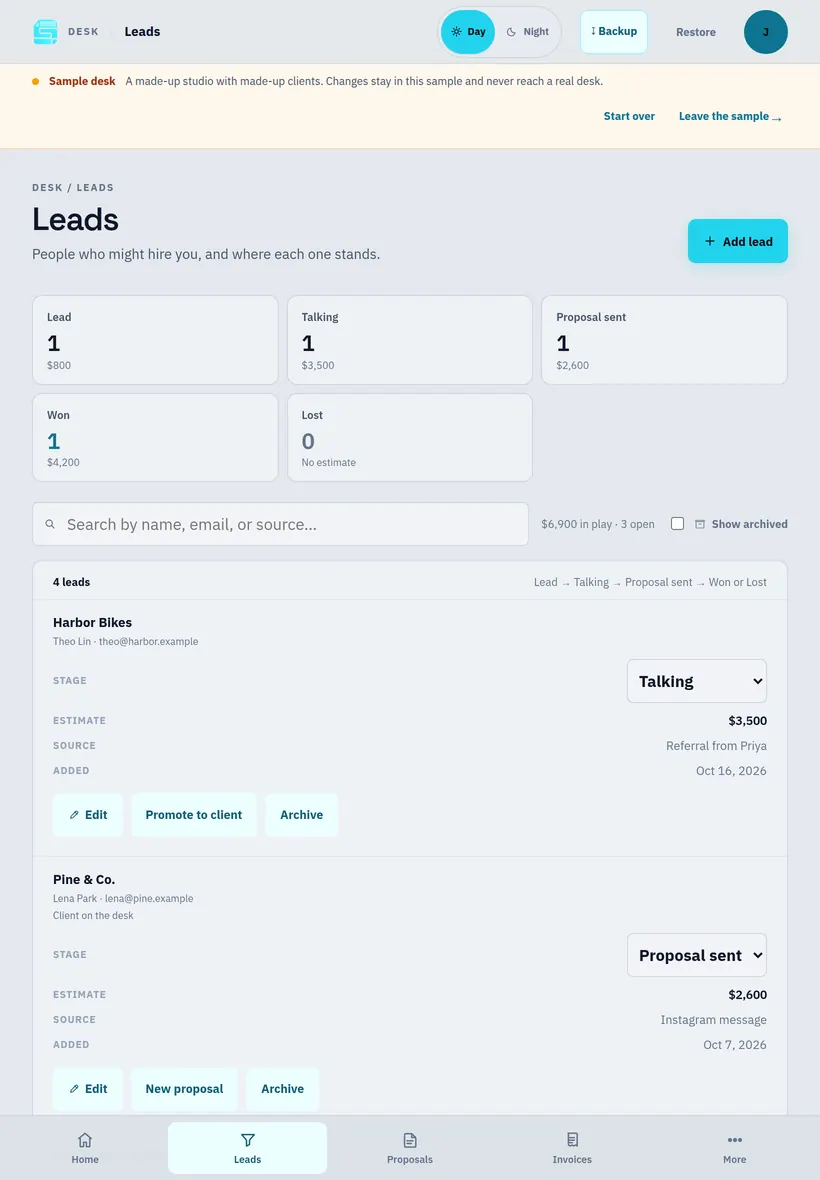
Open the link and add it to your home screen. Nothing to download. Pick Night or Day.
studioos.mndwrx.com
iPhone or iPad: open it in Safari, tap Share, then Add to Home Screen.
Android: open it in Chrome, then tap Install app.
Mac or PC: open it in Chrome or Edge, then click Install in the address bar.
Want the same desk everywhere? Turn on sync in Settings and link up to 3 of your devices with a QR code or a short code. It’s optional, and end-to-end encrypted.
Built for your kind of work
18 setups. The same money desk underneath.
On day one you pick what you do. Studio OS adds the lists that work needs, like gigs and releases, job sites and change orders, or sponsors and a content plan. Lists with an amount get Make invoice.
General studio
Musician Gigs · Releases
Show or podcast Episodes · Guests
Content creator Content plan · Sponsors · Collabs
Artist Commissions
Photographer Shoots
Filmmaker Productions
Designer Rounds
Writer Assignments
Contractor Job sites · Change orders
Tech support Tickets
Consultant Sessions
Tutor or coach Lessons
Maker or shop Orders
Events Events · Vendors
Real estate Listings
Appointments
Developer Milestones
Also in the box
The rest of the job, handled.
Clients & projects
Contacts, private notes, project status, an hourly rate, and a timer. Hours bill onto an invoice once.
Client portal & delivery
A page your client opens with your note, small files, and links for big ones.
PDF & Copy for chat
Print any proposal or invoice to PDF, or copy a clean message for text or DMs.
Retainers in one click
“This month’s invoice” makes a fresh copy. Lists like sponsor deals bill with Make invoice.
The year
Money collected, expenses, what’s left, and what’s still owed. It doesn’t file your taxes.
Backups you control
Download a backup file whenever you like. Lock it with a passphrase if it leaves your hands.
Is it for you?
Made for one person doing client work.
A good fit if you…
Work solo: freelance, side business, or a one-person studio.
Send proposals and invoices and want to stop chasing payments.
Already take payments with Stripe, PayPal, Square, or similar.
Are tired of paying every month for features you don’t use.
Want your client records on your own device.
Not the right fit if you need…
A team with shared logins and permissions.
A shared desk for other people (sync is for your own devices).
Card processing built in, or certified e-signatures.
Scheduling, automations, or email sent for you.
Accounting or tax filing.
Monthly fees vs. pay once
What your first year costs.
The big client tools do more than Studio OS, and they charge every month for it. If you’re one person who mainly needs proposals, invoices, and to know who owes you, here is the math.
First-year cost of Studio OS compared with monthly client tools
Tool
Entry plan with invoices & proposals
First year
Year two
Studio OS
One-time license
$49
$0
Bonsai
Essentials, $19/mo billed yearly
$228
$228
HoneyBook
Starter, from $29/mo
$348
$348
Dubsado
Starter Plan, $335/yr
$335
$335
Prices from each company’s own pricing page, checked October 22, 2026, in USD before tax. They can change. Those tools include things Studio OS doesn’t: built-in card payments, scheduling, automations, and teams. Studio OS launch price; regular price $79.
Straight answers
Your records stay on your devices.
No Studio OS server can read your client list. Here is exactly what that means.
Private by design. Records live in your browser’s storage on each device. They are not sent to us in readable form, and there are no marketing analytics.
Sync is optional. Link up to 3 of your devices with a QR code or short code. Records are locked on your device before they travel, and the sync server stores only scrambled data it can’t read. Each new device confirms with a code emailed to the address you bought with.
Back up. If you clear your browser’s data, the desk on that device is gone (unless it’s synced to another device). Keep a backup file.
Acceptance is an email, not a certified e-signature.
Your money, your processor. Clients pay through your own payment link. Studio OS never touches it.
Mail stays yours. Reminders open your own mail app. Studio OS never stores a mail password. The only emails it sends are device codes and new-device notices, to your purchase address.
One product. One price.
Pay once. Keep it.
Launch price
Studio OS
$79$49one time
Launch price, then $79. No subscription, no account.
All 18 setups and their lists
Leads, proposals with Accept, invoices with Pay now
In the browser storage of each device you use. If you turn on sync, an end-to-end encrypted copy passes through and is stored on our sync server (on Cloudflare), which can’t read it. Download a backup now and then, and lock it with a passphrase if you store it somewhere shared.
Can I use it on my phone and my computer?
Yes. One license key works on up to 3 of your devices. Turn on sync in Settings and link them with a QR code or short code; changes then flow both ways and catch up after time offline. Each new device confirms with a code emailed to you. Sync is optional, and every device still keeps its own copy.
Do I need an account?
No. There is no Studio OS account or login. You buy once through Lemon Squeezy and get a license key by email. A new device asks once for a code sent to that email.
How do clients pay me?
Through your own payment page. Paste a link from Stripe, PayPal, Square, or similar in Settings, and every unpaid invoice shows a Pay now button. Studio OS never touches the money.
Is the Accept button a legal signature?
No. Your client types their name and ticks a box, then their mail app sends you an acceptance email. That’s a clear written yes, not a certified e-signature.
Does it send emails for me?
No. Reminders and acceptances open a mail app with the message written, and you send it. Studio OS never stores a mail password. The only email it sends itself is a device code or a new-device notice, to your purchase address.
Will it work offline?
You need a connection to open it. Your records are already on the device, so nothing is lost if the connection drops.
Can I try it first?
Yes. The sample desk is a made-up studio you can click through. It’s kept apart from a real desk, and Start over resets it.
 Studio OS